AI almost gets it right... but something still feels off...
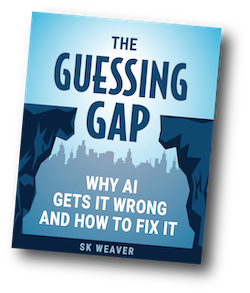
Used by marketers, writers and AI users who want clearer, more reliable results from tools like ChatGPT, Claude and Gemini.
You'll receive the free guide plus occasional AI prompting tips.
You can unsubscribe at anytime.
Many people notice the same pattern when using AI tools like ChatGPT, Claude, and Gemini.
The response begins clear, focused, and insightful.
It feels sharp. Relevant. Exactly what you were hoping for.
But as the output continues, something starts to shift.
The wording becomes more vague.
The ideas feel more surface-level.
The message starts to wander.
And by the end, the response feels less useful than it did at the beginning.
This isn’t your imagination.
And it’s usually not a flaw in the AI.
It’s the result of something happening beneath the surface…
Something most users never see—and don’t realize they’re triggering.
I call it The Guessing Gap.
AI systems work by predicting what text is most likely to come next.
When your prompt clearly defines the task, the AI can stay on track —and the response tends to feel sharp, relevant, and useful.
But when important details are left unstated, something subtle happens.
The AI still produces an answer…
But now it has to fill in the missing pieces on its own.
And when that happens, it naturally drifts toward responses that are:
Not because the AI is broken…
But because it’s doing exactly what it’s designed to do —
make the most reasonable guess based on the information it was given.
That's where things start to go off track.
Once you see what's happening, it becomes much easier to understand how to improve the results you're getting.
If you've ever felt like AI is "almost right" but still not usable, this guide will show you:
A Quick Look Inside the Guide
Here's a short excerpt explaining the core idea:
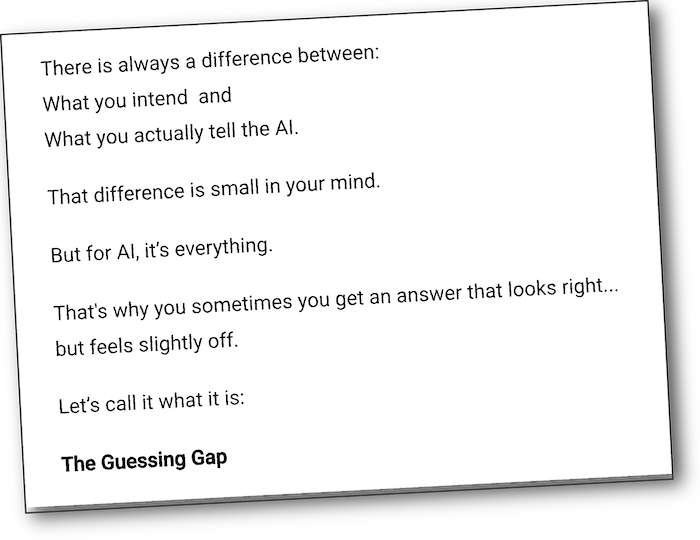
In simple terms, the “Guessing Gap” happens when your prompt leaves out details that feel obvious to you—but aren’t actually stated.
When that happens, the AI doesn’t pause or ask for clarification.
It fills in the gaps using patterns and probabilities…
which often leads to answers that sound reasonable—but miss your original intent.
This is why responses can feel less precise, less relevant, and less useful than expected.
The guide shows you how to shrink this gap—and regain control over the output.
Before you download, here's what to expect:
This a clear, focused guide that helps you understand what’s going wrong—and how to correct it with a few small changes to your prompts.
If any of this sounds familiar, this guide will help you understand what’s happening—and how to improve it.
I’ve been involved in digital marketing and online publishing for more than 25 years.
Over that time, I’ve worked with a wide range of tools, platforms, and business models—always focused on what actually produces clear, usable results.
In recent years, that focus has shifted toward AI.
Like many people, I saw how powerful these tools could be…
but also how inconsistent the results often felt.
Sometimes the output was on target and exactly what I needed.
Other times, it was vague, generic, or required more editing than expected.
That led me to take a closer look at what was actually happening beneath the surface — how AI systems interpret prompts, and why small differences in instructions can noticeably change the quality of the output.
The ideas in this guide come from that practical experimentation—
testing what works, what doesn’t, and what consistently leads to clearer, more useful results.
The goal is simple: to make AI a more reliable and effective tool.
If you’ve noticed how AI responses can start strong… then gradually become less clear, less focused, and less useful…
This short guide, titled The Guessing Gap, will show you why that happens—and how to fix it with a few simple adjustments.
You’ll come away with a clearer understanding of what’s going wrong…
And a practical way to get more precise, more reliable results from your prompts.
Clear. Practical. Easy to Apply.
You'll receive the free guide plus occasional AI prompting tips.
You can unsubscribe at anytime.